Sensei AI
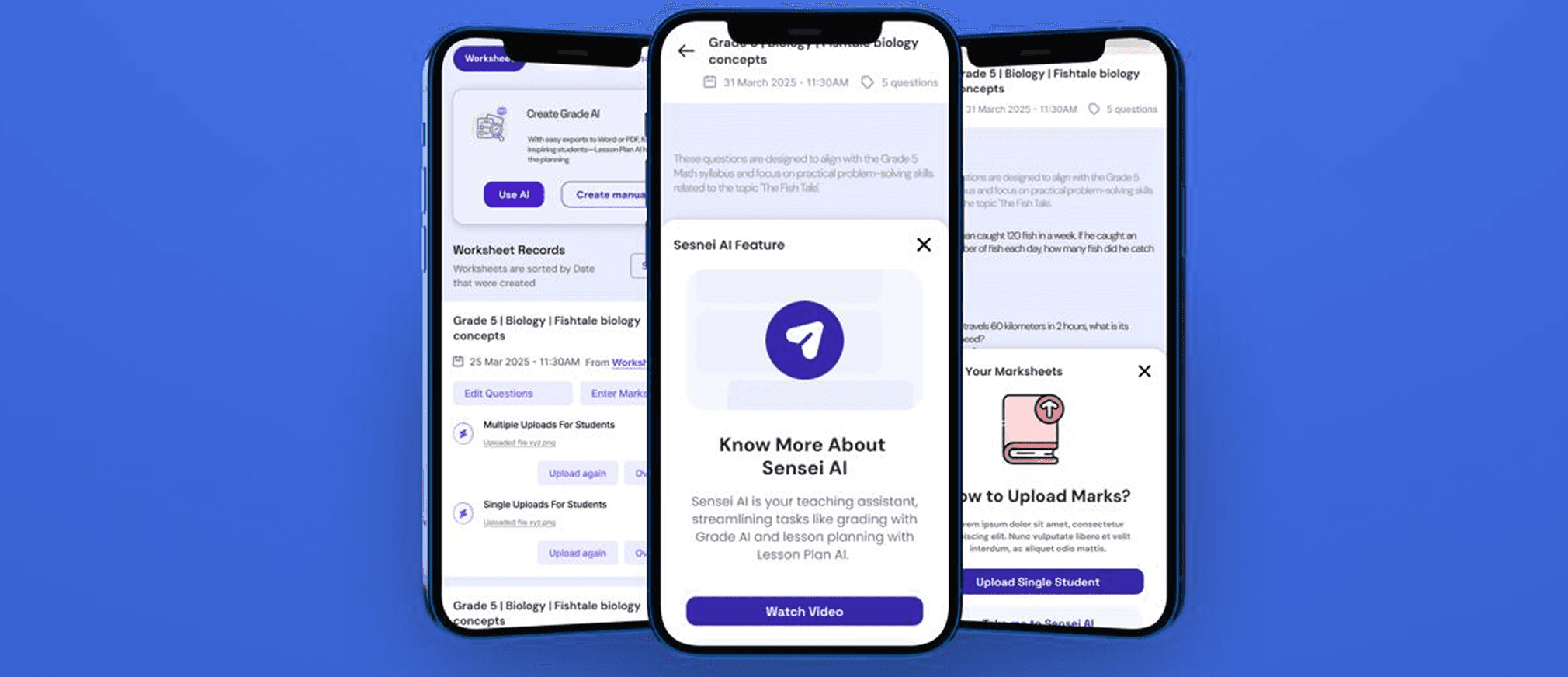
I designed Sensei AI assisttant that helps teachers by generating lessons and personalized feedback. It saves grading time, streamlines administration and supports professional development, enabling teachers to focus on effective instruction and student engagement.
Context
How Might We
3 major gaps
My Approach
Zero Based Design by Mckinsey
0-1 Product Launch Strategy
Collaborated with PMs, engineers and internal stakeholders to create seamless AI exerience
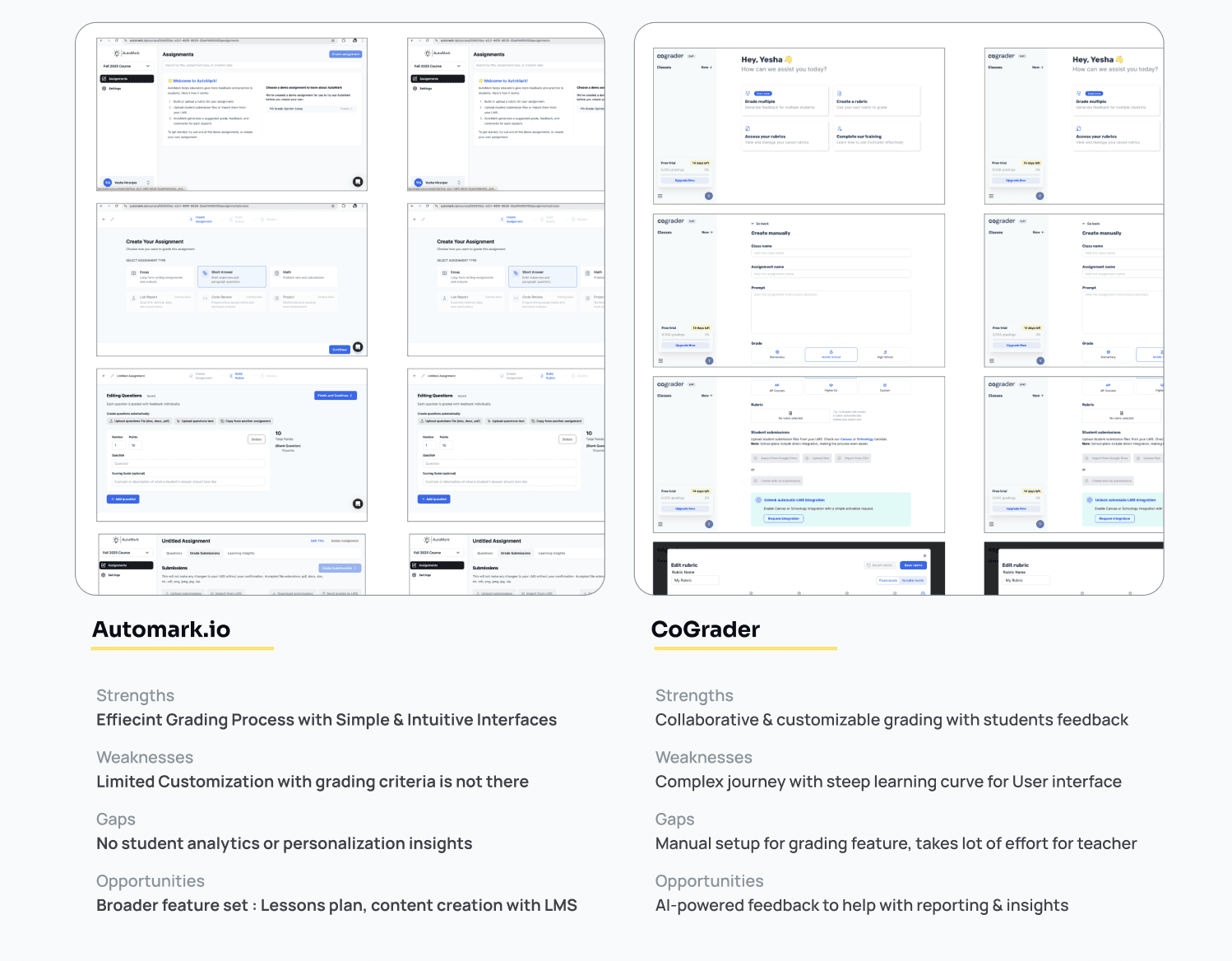
Benchmarking with two platforms
Compared two leading products in market with their AI-assisted workflows and UI layouts to ensure intuitive navigation
01
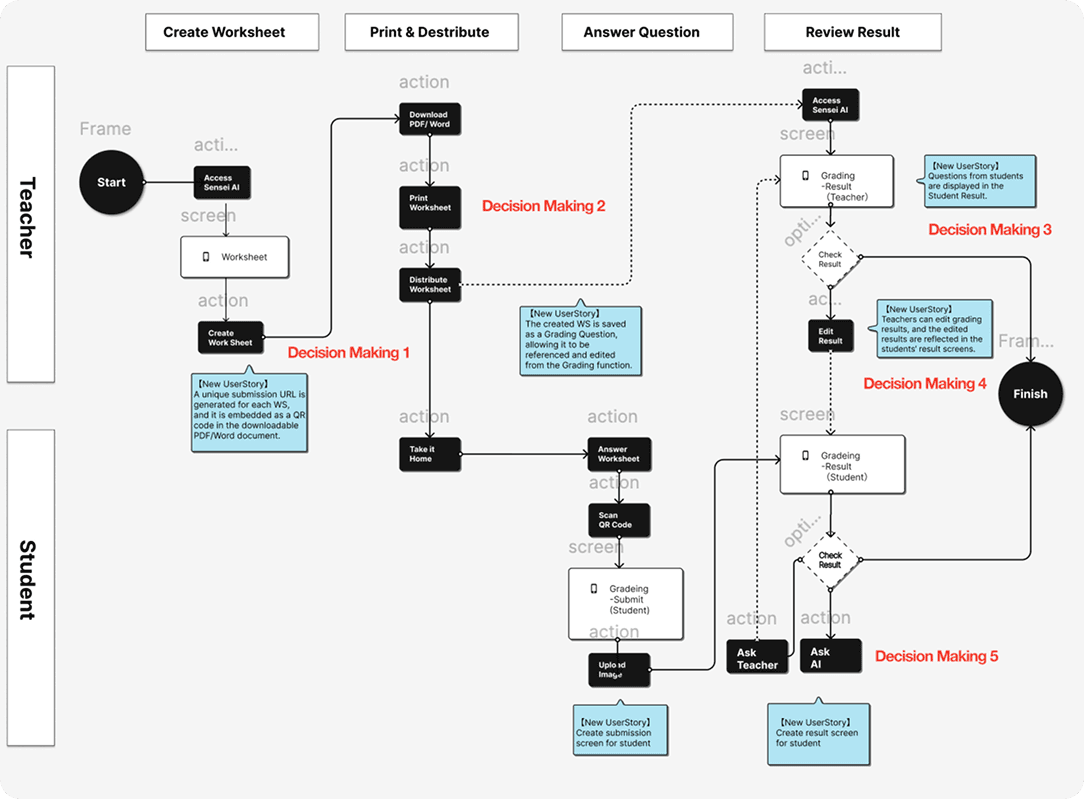
Enhanced user flows
Focused on cross-device usability to ensure accessibility in low-resource settings
02
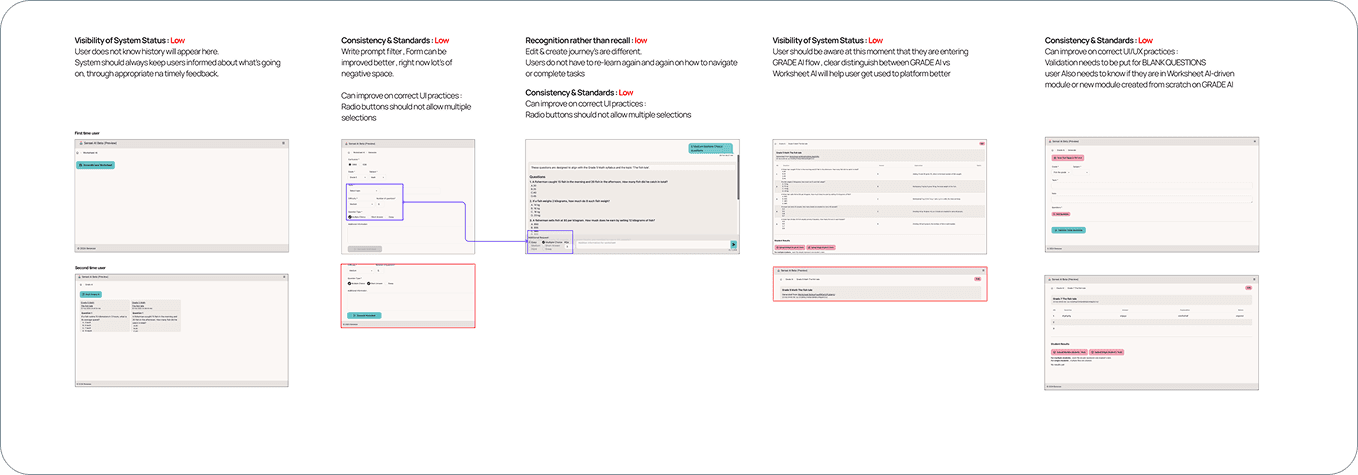
Hueristic evaluation
Heuristic evaluation of live version revealed critical usability gaps: poor error prevention, inconsistent IA, and cognitive overload—requiring immediate UX optimization
03
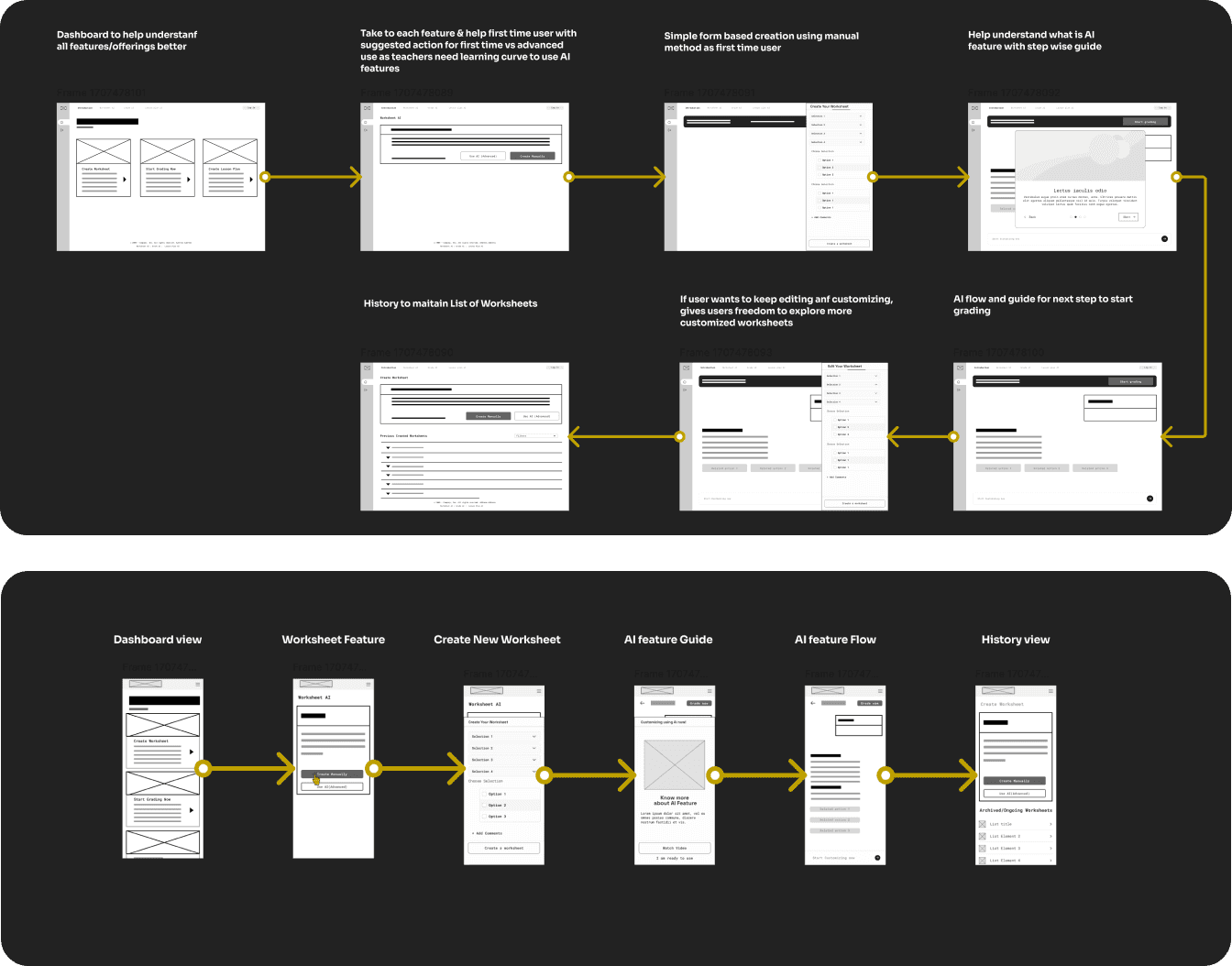
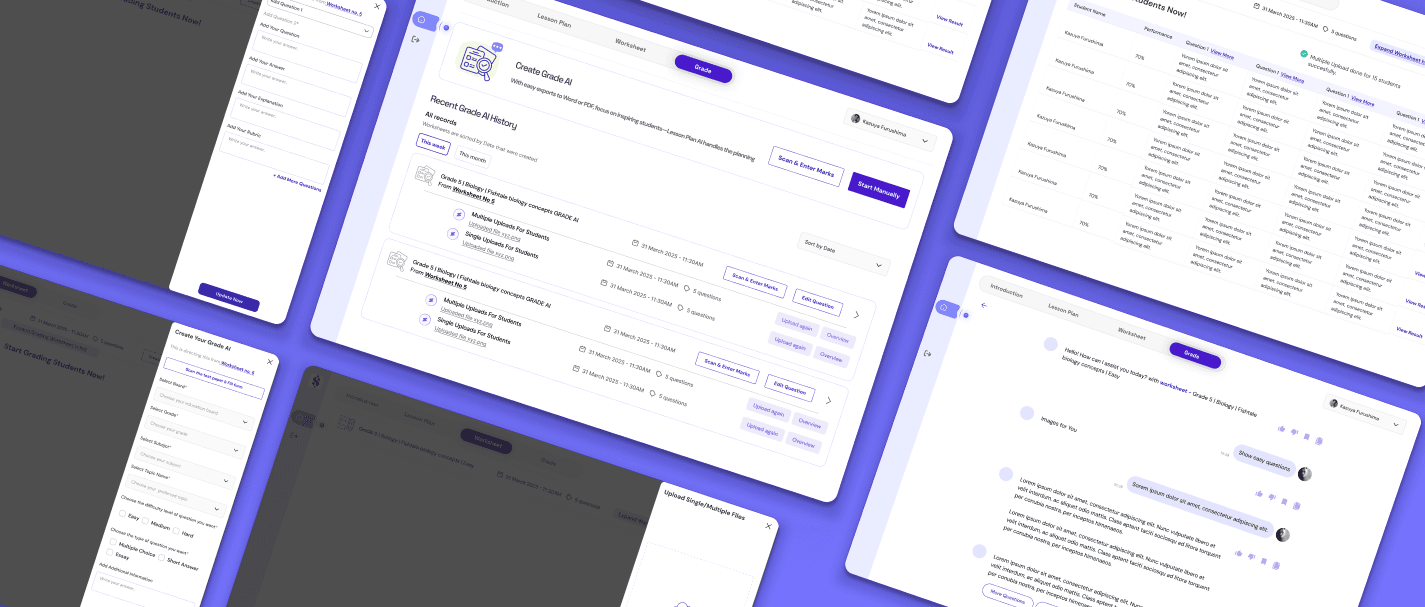
Hi- fidelity protoypes with use cases
Creating personalized worksheets and lesson plans using AI. Responsive flows crafted for critical moments (e.g., feedback generation, content creation)
04
Deliverables
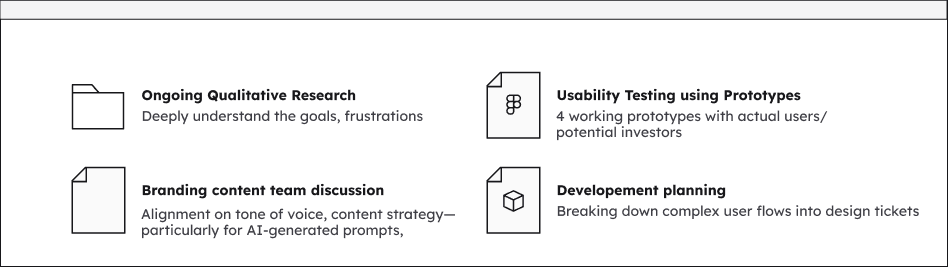
Ensuring Product-Market Fit
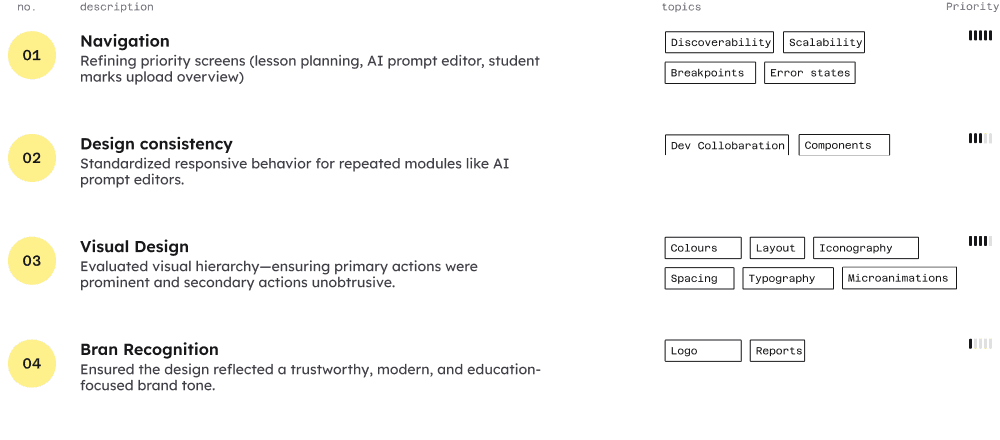
Next Steps on Future Directions
Refine the AI interaction model to enhance natural language understanding and increase the accuracy of personalized content generation. Begin user pilot testing to gather real-world feedback on AI-driven workflow improvements.
Lesson learned
Designing for Clarity and User Trust
Send a Message